In a desktop computer, the power supply does more than plug into the motherboard with the large 20+4 pin ATX connector. Modern CPUs and graphics cards often need extra power delivered through separate cables. These are called CPU power connectors and GPU power connectors. For CompTIA A+ Core 1, students should be able to recognize these connectors, understand what they power, and avoid mixing them up during installation or troubleshooting. The A+ Core 1 objectives include motherboard power connectors, expansion cards, video cards, power supplies, wattage rating, and the 20+4 pin motherboard connector, so CPU and GPU power connectors fit naturally into this power supply section.
Why Extra Power Connectors Are Needed
The main motherboard power cable provides power to the board, chipset, memory, storage controllers, and other onboard components. However, the CPU and GPU can draw a large amount of power, especially in gaming, workstation, or high-performance systems. Instead of sending all of that power through the motherboard’s main connector, systems use dedicated cables from the power supply.
These dedicated cables usually carry +12V power. The motherboard or graphics card then converts that 12V power into the lower voltages required by the processor, graphics processor, memory chips, and other small components.
CPU Power Connectors
The CPU power connector supplies power to the processor area of the motherboard. It is usually located near the CPU socket, often toward the top-left corner of the motherboard. This connector powers the motherboard’s voltage regulator module, also called the VRM. The VRM takes 12V power from the power supply and converts it into the very low, stable voltage that the CPU actually uses.
Common CPU power connectors include the 4-pin ATX12V connector, the 8-pin EPS12V connector, and the 4+4 pin CPU connector. Intel’s ATX power supply guide describes dedicated 12V CPU connectors as either a single 8-pin connector or one or two 4-pin connectors, often referred to as EPS12V connectors.
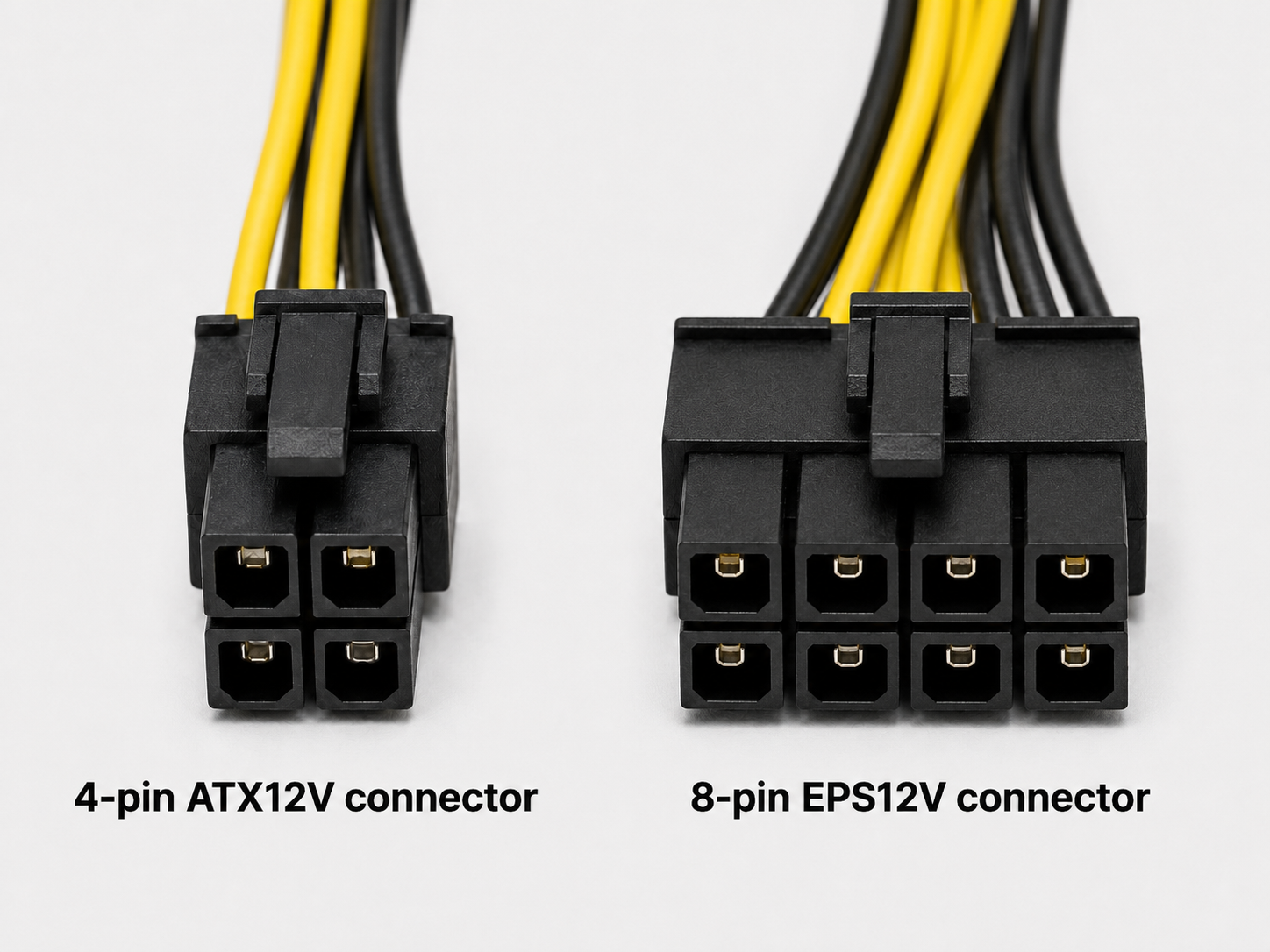
A 4-pin CPU connector is common on older or lower-power systems. An 8-pin CPU connector is common on modern desktop motherboards. A 4+4 pin CPU connector is a power supply cable that can split into two 4-pin halves or snap together to act as one 8-pin connector.
This lesson is part of ExamWizardz Pro
Unlock every lesson, unlimited practice tests, and the AI tutor.
See Pro pricing