The Domain Name System (DNS) is one of the most fundamental services on the internet and in modern networking. Often described as the "phonebook of the internet," DNS translates human-readable domain names (like www.example.com) into IP addresses (like 192.168.1.1 or 2001:db8::1) that computers use to identify each other on networks.
Without DNS, users would need to memorize numerical IP addresses for every website they wanted to visit. DNS makes the internet accessible and user-friendly by allowing people to use memorable names instead of complex numbers.
Why DNS Matters for IT Professionals
Understanding DNS is critical for several reasons. First, DNS issues are among the most common causes of network connectivity problems. Second, proper DNS configuration is essential for network security. Third, many enterprise services depend on DNS for proper functioning, including email, Active Directory, and web services. Finally, DNS troubleshooting is a core competency tested on the CompTIA A+ exam.
How DNS Works
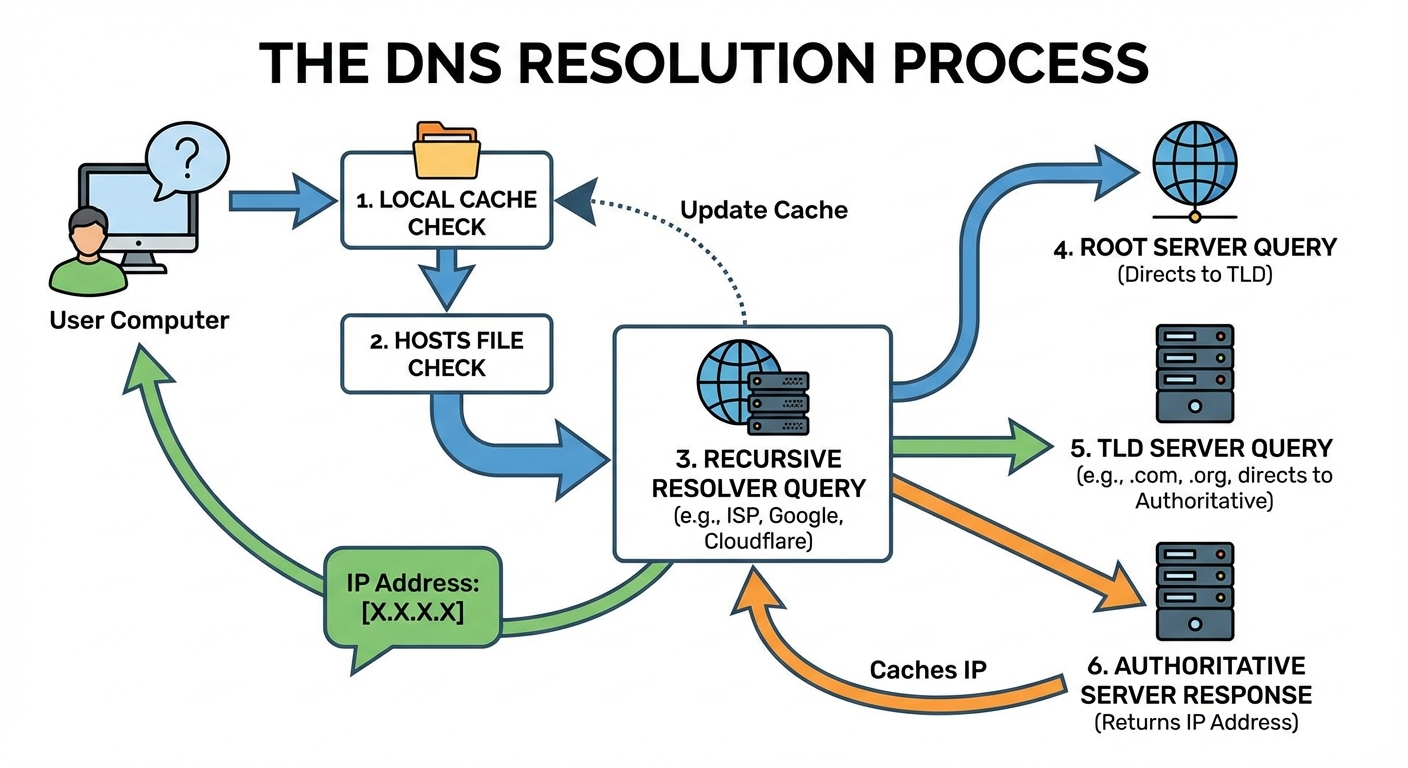
When you type a domain name into your browser, a series of queries occurs behind the scenes to resolve that name to an IP address. This process is called DNS resolution.
The DNS Resolution Process
The DNS resolution process follows these steps:
- Local Cache Check: Your computer first checks its local DNS cache to see if it has recently resolved this domain name.
- Hosts File Check: If not in cache, the system checks the local hosts file for a static mapping.
- Recursive Resolver Query: If still unresolved, the query goes to a recursive DNS resolver (typically provided by your ISP or a service like Google DNS or Cloudflare).
- Root Server Query: The resolver queries a root DNS server, which directs it to the appropriate TLD server.
- TLD Server Query: The Top-Level Domain server (like .com or .org) directs the resolver to the authoritative name server.
- Authoritative Server Response: The authoritative name server returns the IP address, which is then cached and returned to your computer.
The DNS Hierarchy
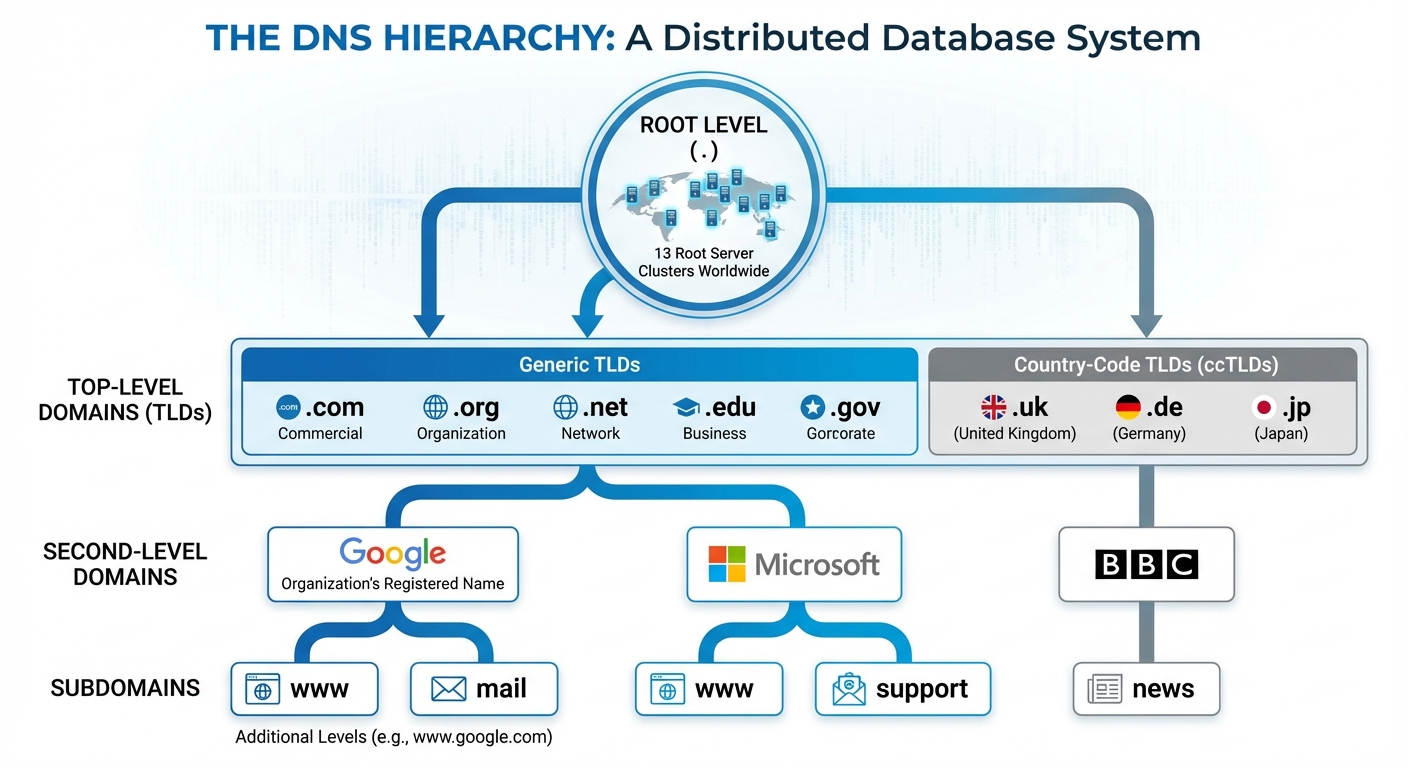
DNS operates as a hierarchical, distributed database. This hierarchy consists of several levels:
- Root Level: The root zone, represented by a dot (.), contains information about all top-level domains. There are 13 root server clusters worldwide.
- Top-Level Domains (TLDs): These include generic TLDs (.com, .org, .net, .edu, .gov) and country-code TLDs (.uk, .de, .jp).
- Second-Level Domains: These are the names organizations register, such as "google" in google.com or "microsoft" in microsoft.com.
- Subdomains: Additional levels like "www" or "mail" that organizations create under their domain (www.example.com, mail.example.com).
DNS Record Types
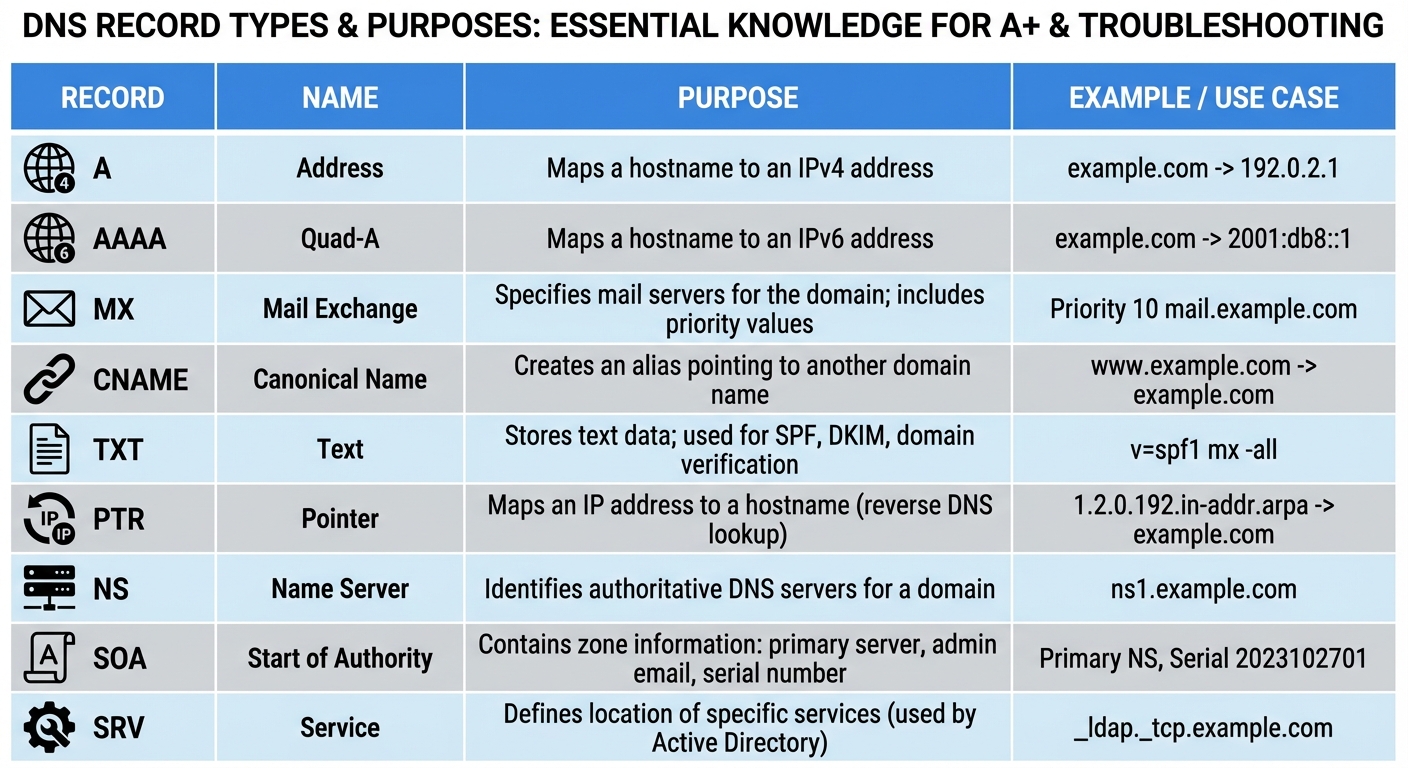
DNS servers store various types of records, each serving a specific purpose.
Configuring DNS Settings
DNS settings can be configured automatically via DHCP or manually.