Before diving into specific ports, let's establish what we're actually talking about. A protocol is simply a set of rules that governs how data moves between devices. Think of it as a language—without a common protocol, computers can't understand each other.
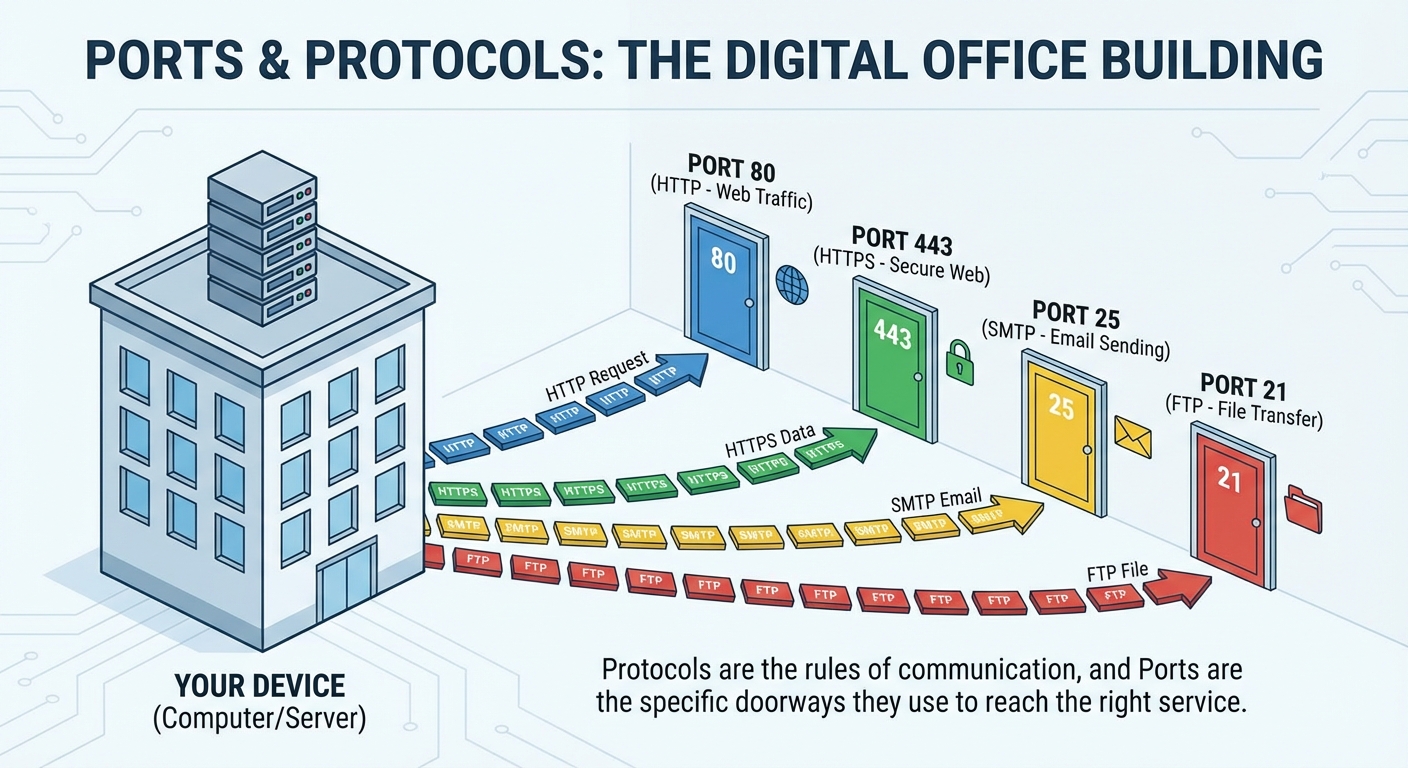
A port, on the other hand, is a logical endpoint for communication. Ports are numbered from 0 to 65535, and they allow a single computer to handle multiple network connections simultaneously. When data arrives at your computer, the port number tells the operating system which application should receive it.
Port numbers fall into three categories: well-known ports (0-1023) reserved for common services, registered ports (1024-49151) used by specific applications, and dynamic ports (49152-65535) used temporarily by client applications.
Most protocols run over either TCP (Transmission Control Protocol), which guarantees reliable delivery, or UDP (User Datagram Protocol), which prioritizes speed over reliability.
File Transfer and Remote Access
FTP: Ports 20-21
The File Transfer Protocol is a veteran of the networking world, and it's unique because it uses two ports. Port 21 handles the control channel—this is where commands like "list directory" or "download file" are sent. Port 20 handles the actual data transfer in active mode.
Here's the critical thing to remember: FTP sends everything in plain text, including your username and password. Anyone sniffing network traffic can see your credentials. For this reason, secure alternatives like SFTP (which runs over SSH on port 22) are strongly preferred for anything sensitive.
SSH: Port 22
Secure Shell revolutionized remote administration when it arrived. SSH encrypts everything—your commands, the responses, and any files you transfer. It's the gold standard for remote server management.
Beyond simple terminal access, SSH enables secure file transfers through SFTP and SCP, and it can create encrypted tunnels for other protocols. If you need to access a remote Linux server or network device, SSH is almost certainly what you'll use.
Telnet: Port 23
Telnet does essentially the same thing as SSH—it provides remote terminal access. The critical difference? Telnet has zero encryption. Everything travels in plain text, making it trivially easy for attackers to capture credentials.
You should never use Telnet in production. It exists today mainly for testing connectivity to specific ports or configuring ancient equipment that doesn't support SSH. On the exam, remember that Telnet is the insecure predecessor that SSH replaced.
RDP: Port 3389
Remote Desktop Protocol is Microsoft's solution for graphical remote access. Unlike SSH, which gives you a command line, RDP delivers a full desktop experience—you see the remote computer's screen and can interact with it using your mouse and keyboard.
RDP supports features like clipboard sharing, printer redirection, and multi-monitor setups. However, exposing RDP directly to the internet is dangerous. Attackers constantly scan for open RDP ports. Best practice is to access RDP through a VPN and enable Network Level Authentication.
Email Protocols
Email relies on multiple protocols working together—one for sending and others for receiving.
SMTP: Port 25
Simple Mail Transfer Protocol handles outgoing mail. When you hit "send," your email client connects to an SMTP server, which then relays your message toward its destination.
Port 25 is the traditional SMTP port, but many ISPs block it to combat spam.