A redundant power supply is a power supply setup that uses more than one power supply unit to help keep a system running if one power supply fails. Instead of depending on a single PSU, the computer or server has multiple power supply modules installed.
Redundant power supplies are most common in servers, network equipment, data centers, storage systems, and other critical systems where downtime can cause major problems. A regular desktop computer usually has one power supply. A server may have two or more.
For CompTIA A+ Core 1, students should understand redundant power supplies as part of choosing and installing the appropriate power supply for a system.
Why Redundant Power Supplies Exist
Most desktop computers are not designed to keep running if the power supply fails. If the PSU dies, the computer shuts off. That may be annoying, but in many home or classroom situations, it is not a disaster.
Servers are different. A server may host websites, user accounts, databases, files, applications, security systems, or business services. If that server shuts down unexpectedly, many users may lose access at the same time.
Redundant power supplies reduce this risk. If one PSU fails, the other PSU can continue powering the system. This gives technicians time to replace the failed power supply without immediately shutting down the server.
The goal is availability. Availability means keeping a system online and usable.
How Redundant Power Supplies Work
A redundant power supply system uses two or more PSU modules installed in the same device. These modules are usually connected to the same server chassis and share the job of providing power.
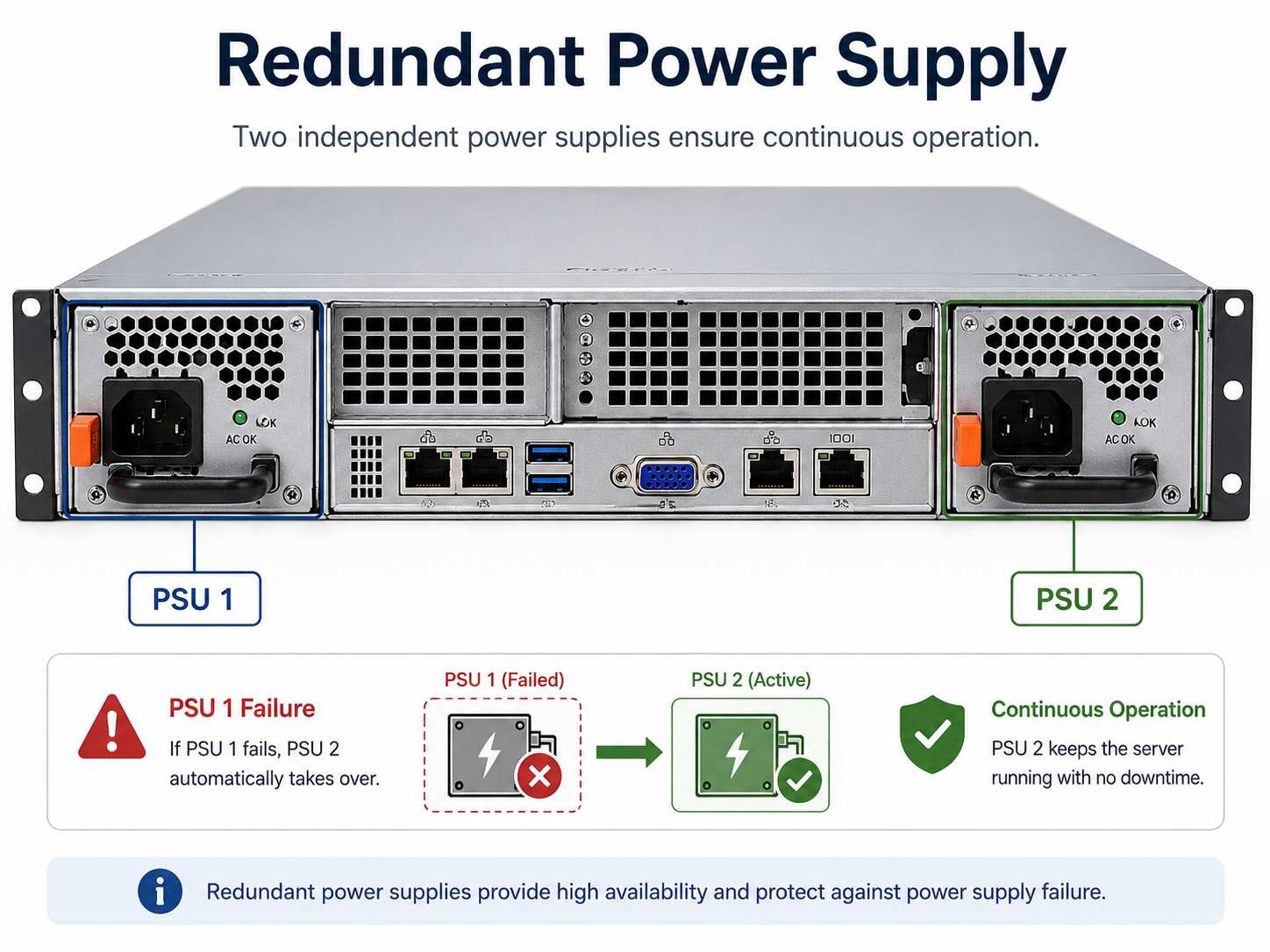
In many systems, both power supplies are active. They may split the load between them. If one fails, the remaining power supply takes over the full load.
For example, a server may have two 750-watt power supply modules. During normal operation, they may share the power demand. If one module fails, the other module continues powering the server by itself, as long as it has enough capacity.
This setup allows the server to survive a single PSU failure without immediately shutting down.
Redundancy Does Not Mean Extra Performance
A redundant power supply does not make a computer faster. It does not increase CPU speed, RAM performance, storage speed, or network speed.
Redundancy is about reliability, not performance.
A system with two redundant PSUs is not automatically using double the power for better performance. Instead, the extra PSU is there so the system can keep running if one power supply fails.
This is similar to having a spare tire in a vehicle. The spare tire does not make the vehicle faster, but it helps you continue after a tire problem.
Redundant Power Supplies vs. Regular Power Supplies
A regular desktop power supply is usually one large unit installed inside the case. If it fails, the computer turns off and the PSU must be replaced.
A redundant power supply system usually uses removable modules. These are often installed from the back of a server. Each module may have its own power cord, status light, fan, and release latch.
The biggest difference is failure handling. With a single PSU system, one PSU failure usually means the system stops. With a redundant PSU system, one PSU failure may trigger an alert while the server continues running.
Hot-Swappable Power Supplies
Many redundant power supplies are hot-swappable.
Hot-swappable means the failed power supply module can be removed and replaced while the system is still powered on. This is very useful in server environments because it allows repairs without shutting down the server.
For example, a technician may see that PSU 1 has a failure light. If PSU 2 is still healthy and can carry the load, the technician may remove PSU 1 and slide in a replacement module while the server continues running.
However, technicians must follow manufacturer instructions. Not every power supply is hot-swappable, and removing the wrong part at the wrong time can cause downtime.
N+1 Redundancy
One common redundancy concept is N+1.
The letter N means the number of power supplies required to run the system normally. The +1 means there is one extra power supply available as backup.
For example, if a server needs one PSU to run, but it has two installed, that is a simple N+1 setup. One PSU can power the server, and the second PSU is available if the first one fails.
Larger systems may need more than one PSU to run. For example, a large server may need two PSUs for normal operation and have a third as backup.