A web server is software that delivers web content to clients over a network. When you type a URL into your browser or click a link, your request travels to a web server, which processes the request and sends back the appropriate content—typically HTML pages, images, videos, or other files. The browser then renders this content for you to view.
Web servers are the foundation of the internet, hosting everything from simple personal blogs to complex enterprise applications. They also power internal company websites, application backends, and APIs that mobile apps and services depend on.
How Web Servers Work
Web servers operate on a request-response model. A client (usually a web browser) sends a request, and the server returns a response.
The Request-Response Cycle
When you enter a URL like https://www.example.com/page.html, several steps occur. First, your browser performs a DNS lookup to find the IP address of www.example.com. Then the browser establishes a TCP connection to the server on port 80 (HTTP) or port 443 (HTTPS). The browser sends an HTTP request specifying the resource it wants, in this case /page.html. The web server receives the request, locates the file, and sends it back with an HTTP response. Finally, your browser receives the response and renders the page.
This entire process typically happens in milliseconds, though complex pages may require dozens of additional requests for images, stylesheets, scripts, and other resources.
HTTP Methods
HTTP defines several methods that describe what action the client wants to perform.
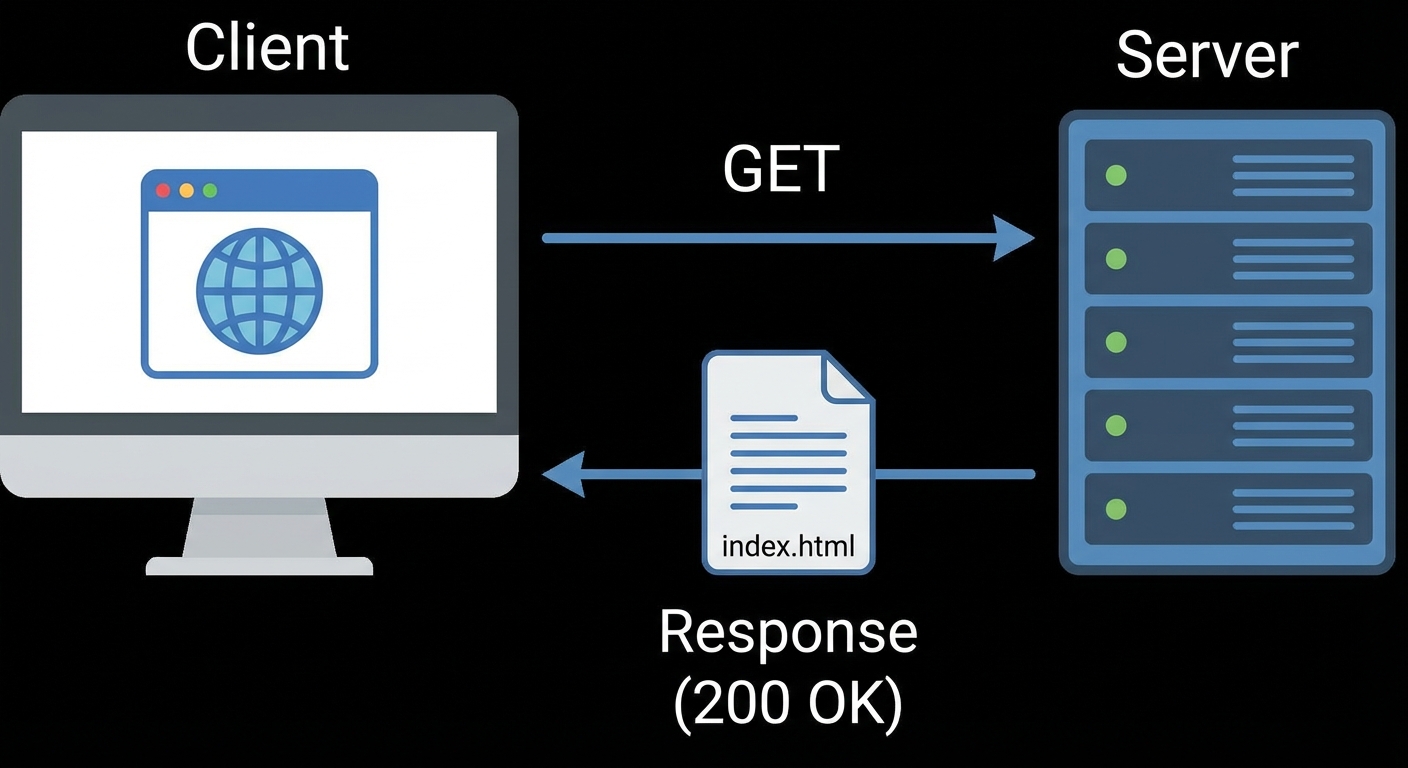
GET requests retrieve a resource from the server. This is the most common method, used when loading web pages.
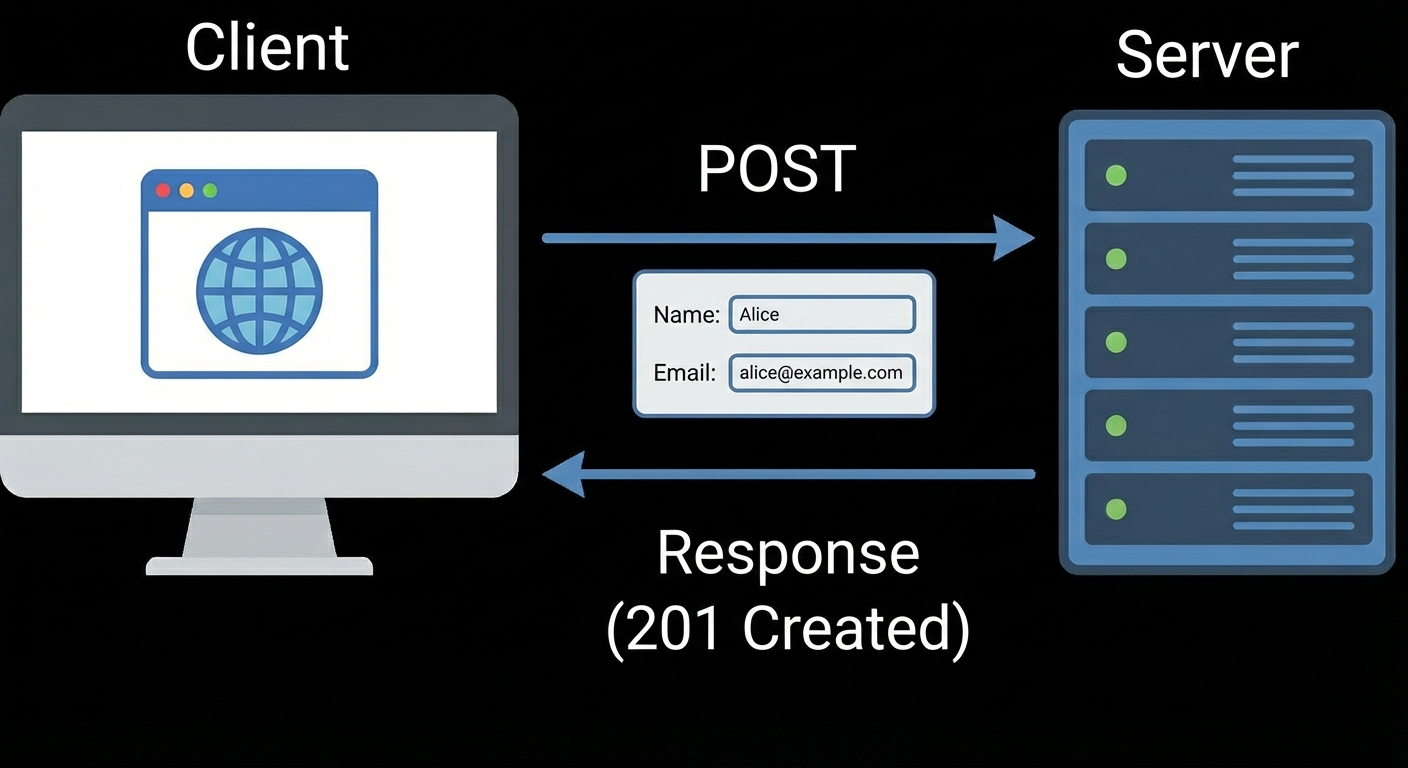
POST sends data to the server, typically when submitting forms or uploading files.
PUT uploads or replaces a resource at a specific location.
.jpeg?token=eyJraWQiOiJzdG9yYWdlLXVybC1zaWduaW5nLWtleV8xZjYxYWU5YS02YzVkLTRjZDktOGY4Mi0xMTAzMDc2N2E4YTIiLCJhbGciOiJIUzI1NiJ9.eyJ1cmwiOiJJbWFnZSAzL0dlbmVyYXRlZCBJbWFnZSBEZWNlbWJlciAxMCwgMjAyNSAtIDEyXzI1UE0gKDEpLmpwZWciLCJpYXQiOjE3NjUzOTE1ODAsImV4cCI6MzM0MjE5MTU4MH0.qzHCHRNY-AMhHN8YLCtUz8DiVxPFjhNviRmJCufZLQQ)
DELETE removes a resource from the server.
.jpeg?token=eyJraWQiOiJzdG9yYWdlLXVybC1zaWduaW5nLWtleV8xZjYxYWU5YS02YzVkLTRjZDktOGY4Mi0xMTAzMDc2N2E4YTIiLCJhbGciOiJIUzI1NiJ9.eyJ1cmwiOiJJbWFnZSAzL0dlbmVyYXRlZCBJbWFnZSBEZWNlbWJlciAxMCwgMjAyNSAtIDEyXzI1UE0gKDIpLmpwZWciLCJpYXQiOjE3NjUzOTE2MzAsImV4cCI6MzM0MjE5MTYzMH0.qJYp0PaRE6Rqkh6NCMQcnDZWGF8LZScEieVN1HPbg6c)
HEAD retrieves only the headers of a response, useful for checking if a resource exists without downloading it.
.jpeg?token=eyJraWQiOiJzdG9yYWdlLXVybC1zaWduaW5nLWtleV8xZjYxYWU5YS02YzVkLTRjZDktOGY4Mi0xMTAzMDc2N2E4YTIiLCJhbGciOiJIUzI1NiJ9.eyJ1cmwiOiJJbWFnZSAzL0dlbmVyYXRlZCBJbWFnZSBEZWNlbWJlciAxMCwgMjAyNSAtIDEyXzI2UE0gKDEpLmpwZWciLCJpYXQiOjE3NjUzOTE2NTEsImV4cCI6MzM0MjE5MTY1MX0.PKfB3jToa_6LEqYueUcp5kYDx-lzmu-CU4Prs46psEM)
HTTP and HTTPS
Web servers communicate using HTTP (Hypertext Transfer Protocol) or its secure variant, HTTPS.
HTTP Ports
HTTP uses TCP port 80 by default. Traffic on this port is unencrypted, meaning anyone monitoring the network can read the content being transmitted. While still used for some public content, HTTP is increasingly deprecated in favor of HTTPS.
HTTPS and TLS
HTTPS uses TCP port 443 and encrypts all traffic using TLS (Transport Layer Security). This encryption protects sensitive data like login credentials, payment information, and personal details from interception.
HTTPS requires an SSL/TLS certificate issued by a Certificate Authority (CA). The certificate verifies the server's identity and enables encrypted communication. Modern browsers display a padlock icon for HTTPS connections and warn users about unencrypted HTTP sites.
Benefits of HTTPS include: encrypted data transmission preventing eavesdropping, authentication confirming you're connected to the legitimate server, data integrity ensuring content hasn't been modified in transit, and improved search engine rankings since Google prioritizes HTTPS sites.
HTTP Status Codes
Web servers return status codes indicating the result of each request. These codes help troubleshoot issues.
1xx Informational codes indicate the request is being processed.
2xx Success codes mean the request succeeded. Code 200 (OK) is the standard success response.
3xx Redirection codes indicate the resource has moved. Code 301 means permanently moved, while 302 indicates a temporary redirect.
4xx Client Error codes indicate problems with the request. Code 400 means bad request, 401 means unauthorized (authentication required), 403 means forbidden (access denied), and 404 means not found.
5xx Server Error codes indicate the server failed to fulfill a valid request. Code 500 is a generic internal server error, 502 is a bad gateway error, and 503 means the service is unavailable.
Popular Web Server Software
Several web server applications dominate the market, each with distinct strengths.
Apache HTTP Server
Apache has been the most widely used web server since 1996. It's open source, runs on virtually any operating system, and offers extensive customization through modules. Apache uses a process-based or thread-based architecture and excels at serving dynamic content. Configuration uses text files, primarily httpd.conf or files in the sites-available directory.